
How to unzip files in Google Drive
Google Drive can show you the list of files inside a ZIP, but it cannot extract them into your Drive. Open the archive with MiConvert instead: pick the files you want, and they land in a new folder next to the archive, without passing through your computer.
Connect Google DriveFree for archives up to 100MB.
Step by step
- 1 Connect Google Drive to MiConvert once. Google shows what MiConvert may do: open the files you open with it, and nothing else in your Drive.
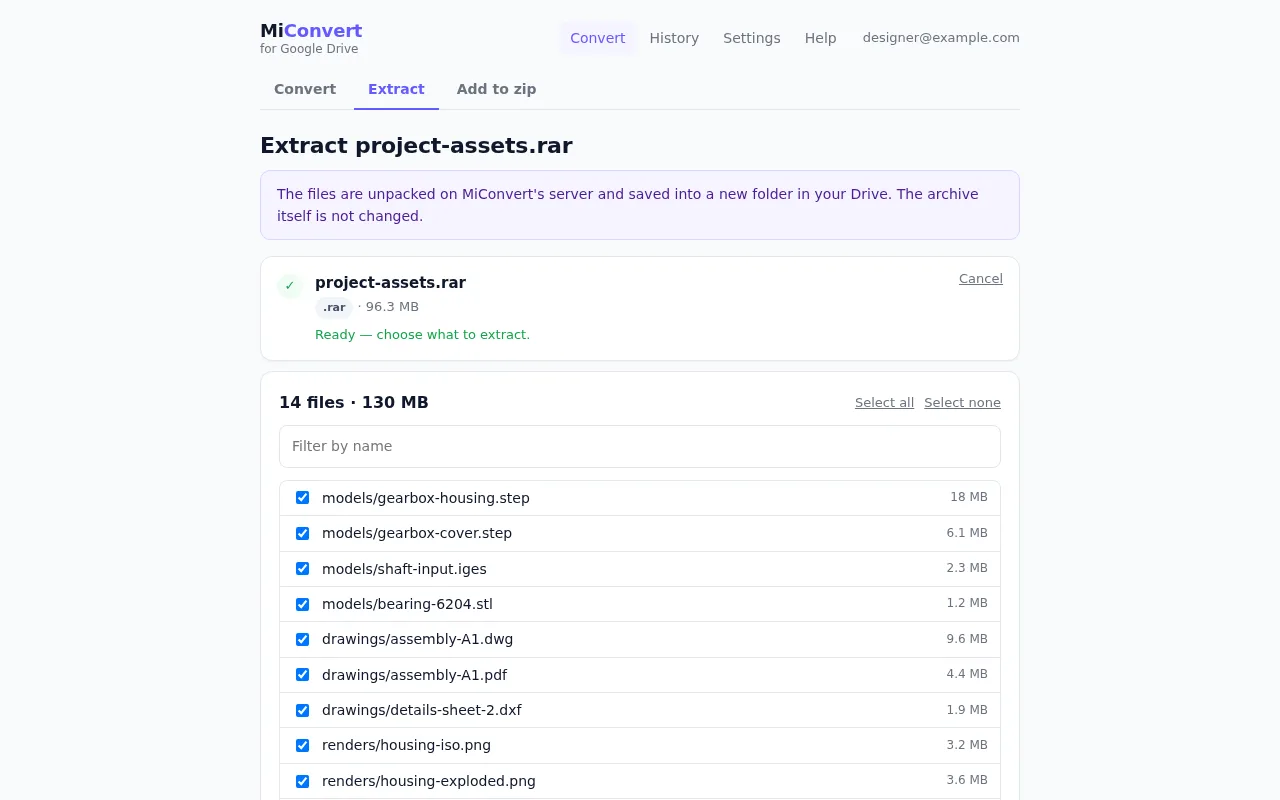
- 2 In Google Drive, right-click the ZIP, RAR or 7z file and choose Open with, then MiConvert. MiConvert opens on its Extract screen and reads the list of files.
- 3 If the archive has a password, type it in. It is used once to unpack the files and is never stored or logged.
- 4 Tick the files you want, or keep them all. In a large archive, type part of a name in the filter box to find files quickly.
- 5 Choose where the new folder goes: the archive's own folder, My Drive, or a folder you pick. Then press Extract to Drive.
- 6 When it finishes, press Open folder in Drive. The folder is named after the archive, so photos.zip becomes a folder called photos, and the archive's own sub-folders are kept inside it.
Which archives it opens
| ZIP | Including password-protected ZIPs, and ZIPs made on Windows with Japanese, Chinese, Korean or Russian file names |
| RAR | RAR4 and RAR5, with or without a password |
| 7z | With or without a password, including archives that hide their file names until the password is given |
| TAR, TAR.GZ, TGZ | Common for code and backups from Linux and macOS |
| TAR.BZ2, TBZ2, TAR.XZ, TXZ | The other compressed TAR variants |
| GZ | A single compressed file |
An archive inside the archive is extracted as a file. Open that file with MiConvert again to unpack it too.
File names come out garbled?
Old ZIP files store names in the code page of the computer that made them. MiConvert detects the usual ones. When the guess is wrong, the Extract screen's File names menu can force Shift_JIS, GBK, Big5, EUC-KR, CP437 (old Windows and DOS) or CP866 (Cyrillic).
Other ways to do it, and when they are better
Download, extract, upload again
Works with any archive and any tool on your computer. But the archive comes down and every file goes back up, and you have to recreate the folders in Drive. Fine for a small ZIP, slow for a large one on a phone hotspot.
Google Drive for desktop
Sync the archive to your computer, extract it in the synced folder, and Drive uploads the files for you. Good if you already use it and have the disk space; the data still travels both ways.
On a phone
The Drive app cannot open archives, and MiConvert's Open with does not appear there. Save the archive to the phone: the iPhone Files app and Files by Google on Android can both unzip a ZIP. RAR and 7z need a separate app.
MiConvert
Nothing passes through your computer, it opens RAR and 7z as well as ZIP, it handles passwords, and you take only the files you need. The limits: the archive has to fit your plan's file size (100MB free), it needs Drive in a computer browser, and the archive is processed on MiConvert's servers.
Limits
| Plan | Archive size | Extracted per run |
|---|---|---|
| Free account | 100MB | 2GB |
| Plus | 200MB | 5GB |
| Pro | 1GB | 10GB |
Up to 2,000 files per run: for a bigger archive, extract it in parts. Archives listing more than 20,000 entries are not opened.
Questions
Can you unzip files in Google Drive?
How do I open a RAR file in Google Drive?
Can I unzip a password-protected file?
Can I unzip in Google Drive on an iPhone or Android phone?
Is the archive changed or deleted?
Is there a size limit?
Google Drive is a trademark of Google LLC. MiConvert is not affiliated with or endorsed by Google.