
Convert, unzip and view files without leaving Google Drive
Google Drive stores almost any file, but it cannot unpack a RAR, turn a HEIC photo into a JPG or show you a STEP model. MiConvert adds those jobs to Drive's Open with menu. Each result is saved back into your Drive as a new file, and the original is never changed.
Connect Google DriveFree. It only reads the files you open with it.
What MiConvert does in your Drive
View files Drive cannot preview
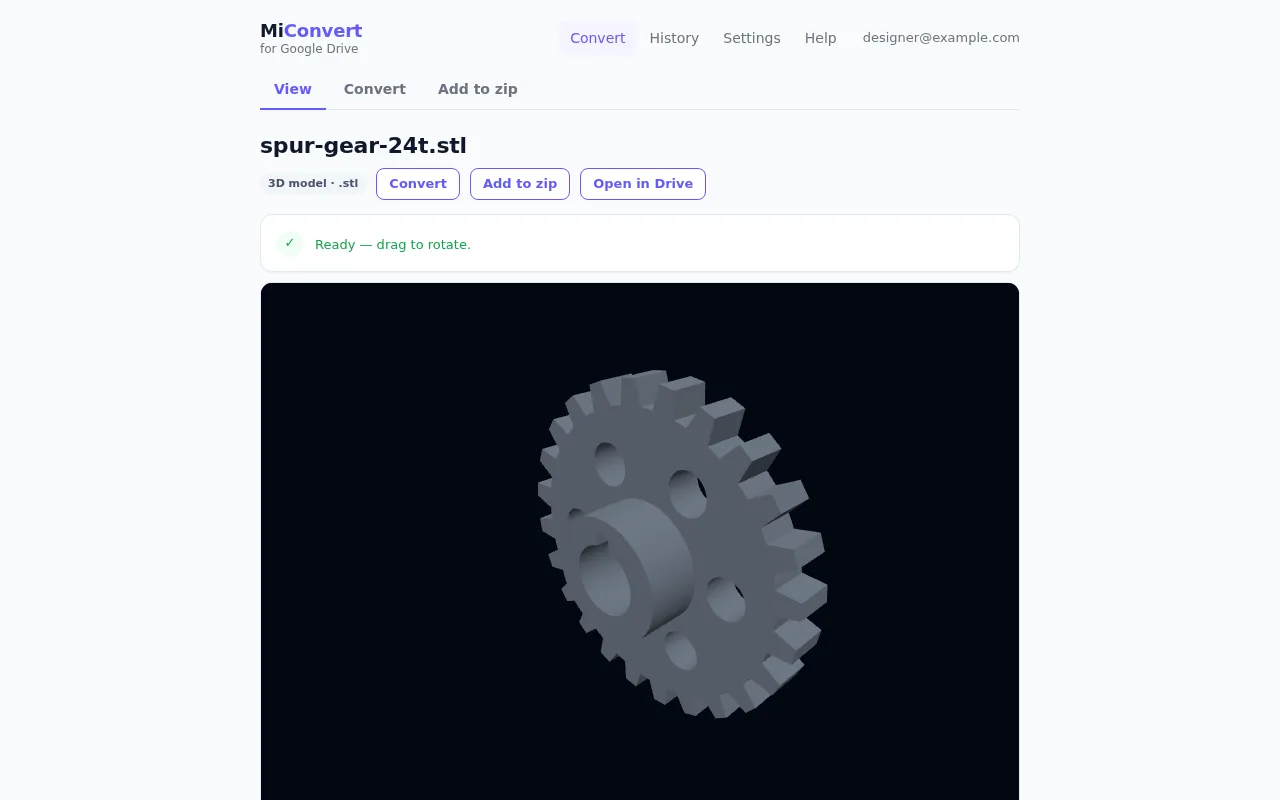
For many technical and camera formats, Drive only says that no preview is available. Opened with MiConvert, 3D and CAD models such as STEP, IGES, STL, OBJ, FBX, 3MF and GLB appear as a model you can turn in the browser. DWG and DXF drawings and older Office documents open as pages, and HEIC, PSD, TIFF and camera RAW photos open as images.
Convert to another format
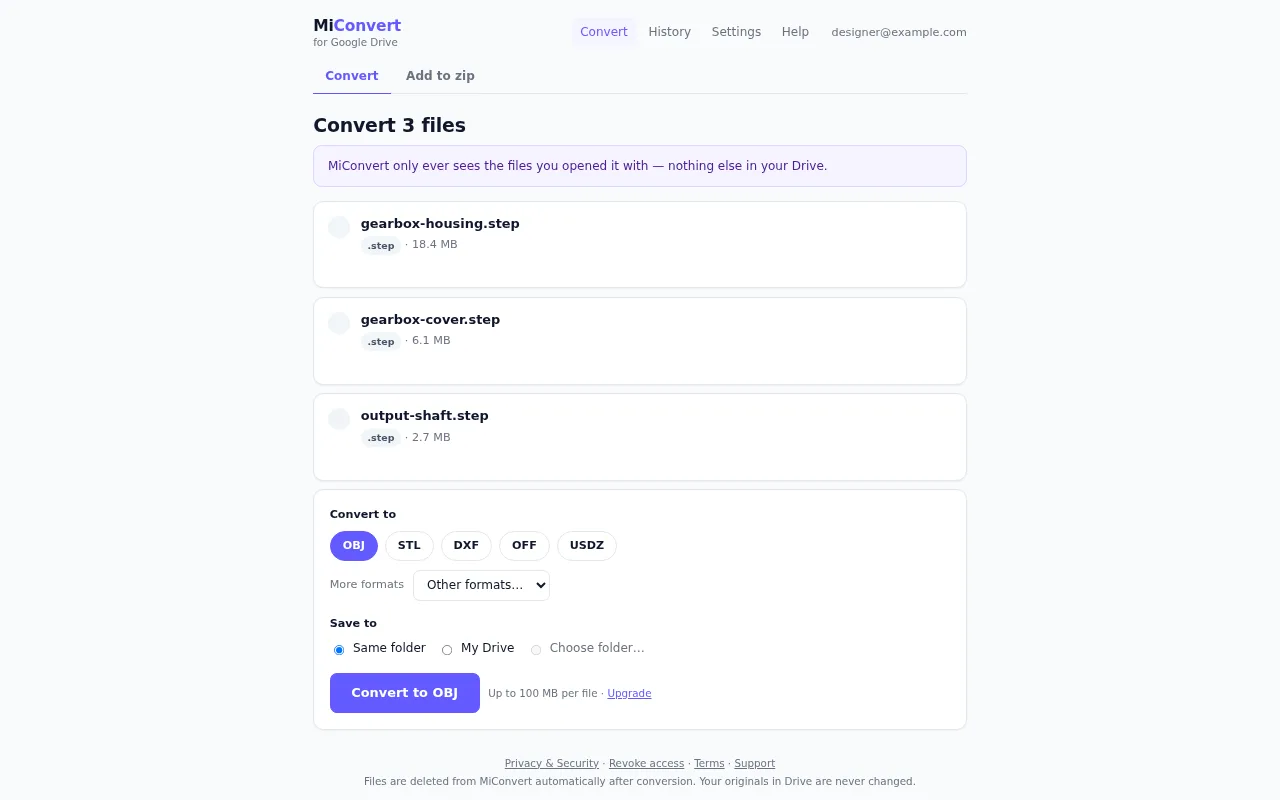
Select one file, or several of the same type, and pick a format: STEP to STL, DWG to PDF, HEIC to JPG, MOV to MP4 and the other conversions this website does. Each result is saved as a new file in the same folder, in My Drive, or in a folder you choose.
Unzip ZIP, RAR, 7z and TAR archives
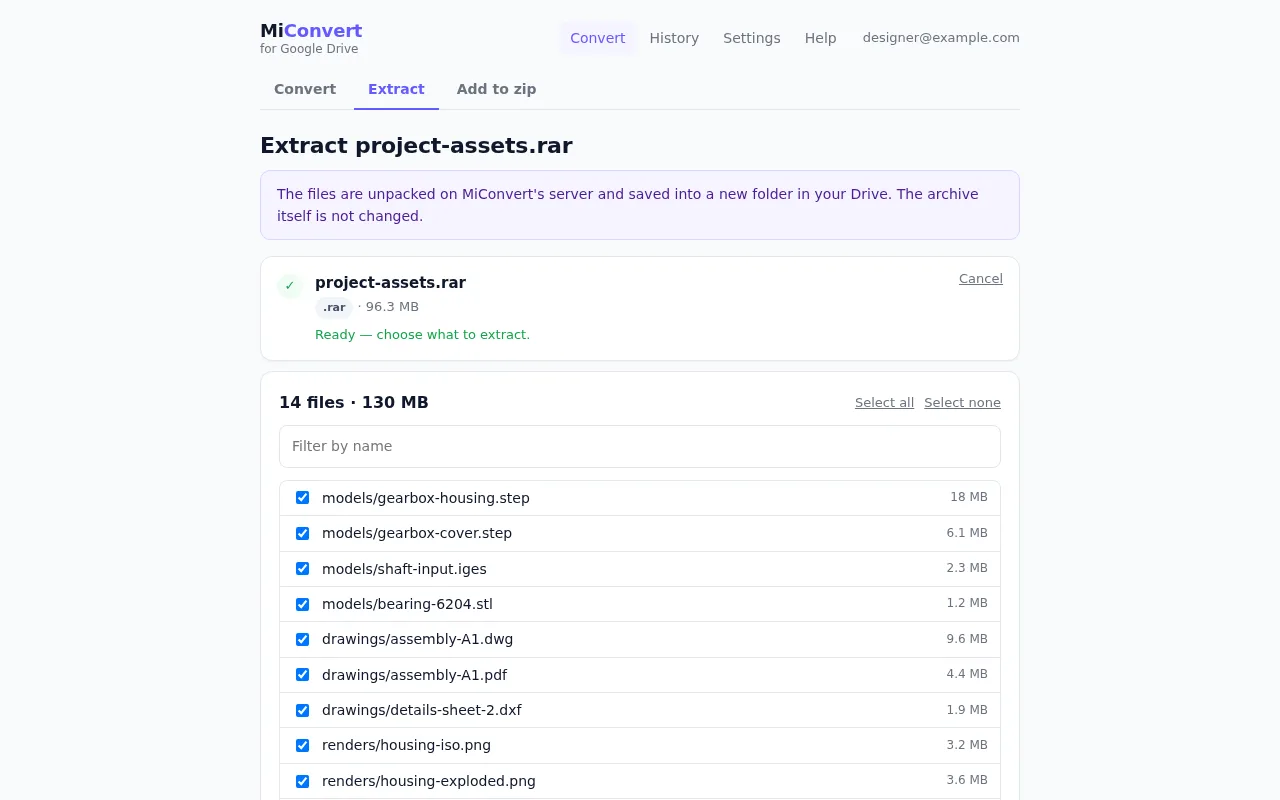
Choose which files to take out of an archive, type the password if it has one, and the files are extracted into a new folder in your Drive with their sub-folders kept. Nothing is downloaded to your computer.
Make PDFs, photos and videos smaller
Compress PDF, JPG, PNG, GIF, WebP, TIFF, MP4, WebM, AVI, MOV, MKV, WMV and FLV files. MiConvert shows the size before and after, and the smaller copy is saved next to the original.
Pack several files into one ZIP
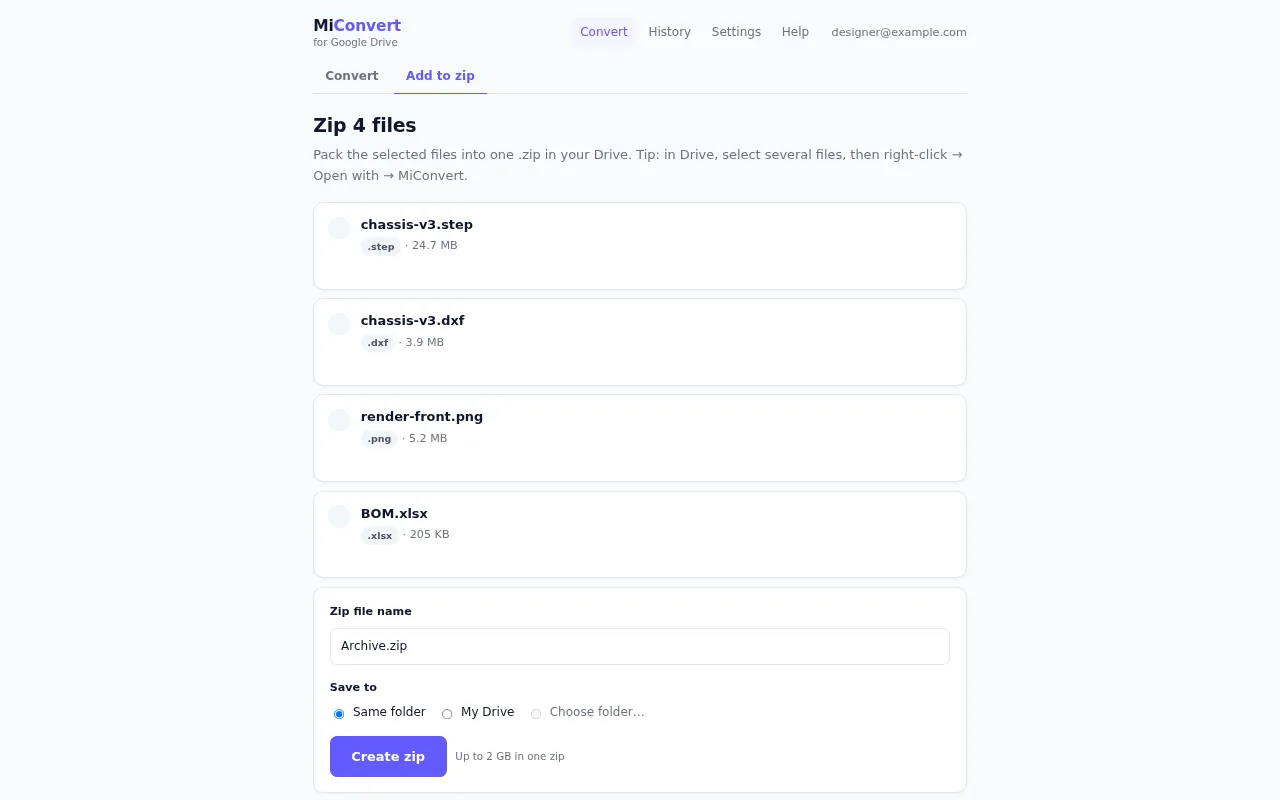
Select files in Drive, open them with MiConvert and choose Add to zip. One .zip file is created in your Drive, ready to share or send.
What it looks like
How to start
- 1 Connect Google Drive once, on this website. Google asks you to let MiConvert open the files you choose with it and to add MiConvert to Drive's menus. Connecting also gives you a free MiConvert account; there is nothing else to sign up for.
- 2 In Google Drive, right-click a file, or several selected files, and choose Open with, then MiConvert.
- 3 MiConvert opens on the tool that fits the file: View for a model or a RAW photo, Extract for an archive, Convert for the rest. Switch tabs if you want something else, pick where to save, and start.
What MiConvert can see in your Drive
MiConvert asks Google for the drive.file permission only. It can open the files you open with it or pick in its file chooser, and create new files for the results. It cannot list, search or read anything else in your Drive.
To do the work, the file is copied to MiConvert's servers. The temporary copy is deleted as soon as the job finishes, and results are kept for at most 4 hours, then deleted automatically. Files from Drive are never used for advertising or to train AI models.
Questions
Is MiConvert for Google Drive free?
Does it work in the Google Drive app on my phone?
Where do the results go?
Can MiConvert change or delete my files?
How do I remove MiConvert from my Drive?
Does it work with Dropbox too?
Add MiConvert to your Google Drive
Connect Google DriveFree. It only reads the files you open with it.
Already connected? Open MiConvert for Google Drive
Google Drive is a trademark of Google LLC. MiConvert is not affiliated with or endorsed by Google.